APFS: Apple's Modern Filesystem and Its Server Implications
How APFS works, what it does well, and why it is not a replacement for ZFS in server environments.
What APFS Is
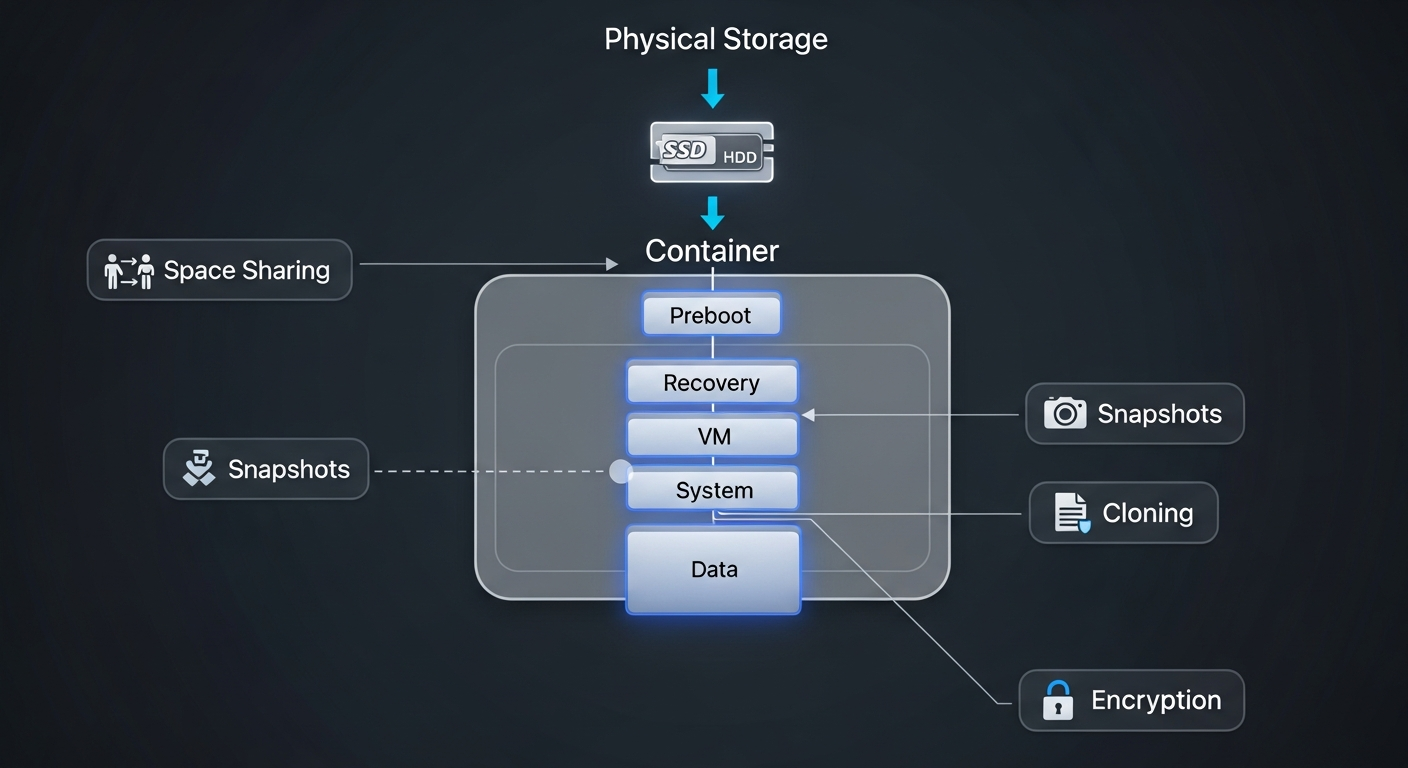
Apple File System (APFS) is Apple's modern filesystem, introduced in 2017 to replace HFS+. It was designed primarily for flash storage (SSDs) and supports features like snapshots, clones, strong encryption, space sharing, and crash protection through copy-on-write metadata.
What APFS Does Well
APFS is excellent for its intended use case: Apple devices with SSDs. Snapshots are instant and space-efficient. Encryption is hardware-accelerated and transparent. Space sharing lets multiple volumes share a single storage pool dynamically, which is perfect for devices with fixed internal storage.
File operations on APFS are fast because the filesystem was designed around the characteristics of flash storage rather than spinning disks.
Where APFS Falls Short for Servers
APFS does not checksum file data. It checksums metadata (directory structures, file attributes) but not the actual file contents. This means APFS cannot detect or correct silent data corruption, which is a critical gap for server storage. ZFS, by contrast, checksums every block of data and can self-heal when corruption is detected.
APFS also does not support software RAID. There is no APFS equivalent of ZFS RAIDZ or Linux md RAID. For redundant storage, you need either hardware RAID (which APFS sits on top of) or Apple's now-deprecated software RAID from Disk Utility.
APFS vs ZFS
For server storage:
- Data integrity: ZFS wins. Checksumming and self-healing are essential for data you care about.
- RAID: ZFS wins. RAIDZ provides integrated software RAID with flexible configurations.
- Snapshots: Both are excellent. APFS snapshots are lighter-weight for typical desktop use. ZFS snapshots are more powerful for server backup workflows (send/receive).
- Encryption: APFS is more tightly integrated with Apple hardware. ZFS encryption works but is a newer addition.
- Performance on SSDs: APFS is optimized for Apple's specific SSD controllers. ZFS performs well on SSDs but was originally designed for spinning disks.
My Approach
On my Mac Pro, I use APFS for the boot volume and local workspace because it is the native macOS filesystem and works seamlessly with Apple's tools. For any data that needs integrity guarantees or redundancy, I store it on ZFS pools running on my Dell servers.
This hybrid approach uses each filesystem where it is strongest.