DNS: The Infrastructure Most People Ignore
Why DNS is the most critical piece of network infrastructure and how I run it in my lab.
DNS Is Everything
If DNS is not working, nothing works. Web browsers cannot resolve domain names. Active Directory cannot find domain controllers. Email cannot route to mail servers. Monitoring systems cannot identify hosts. DNS is the foundation that everything else depends on, and it is the single most common cause of "the network is down" complaints.
How DNS Works
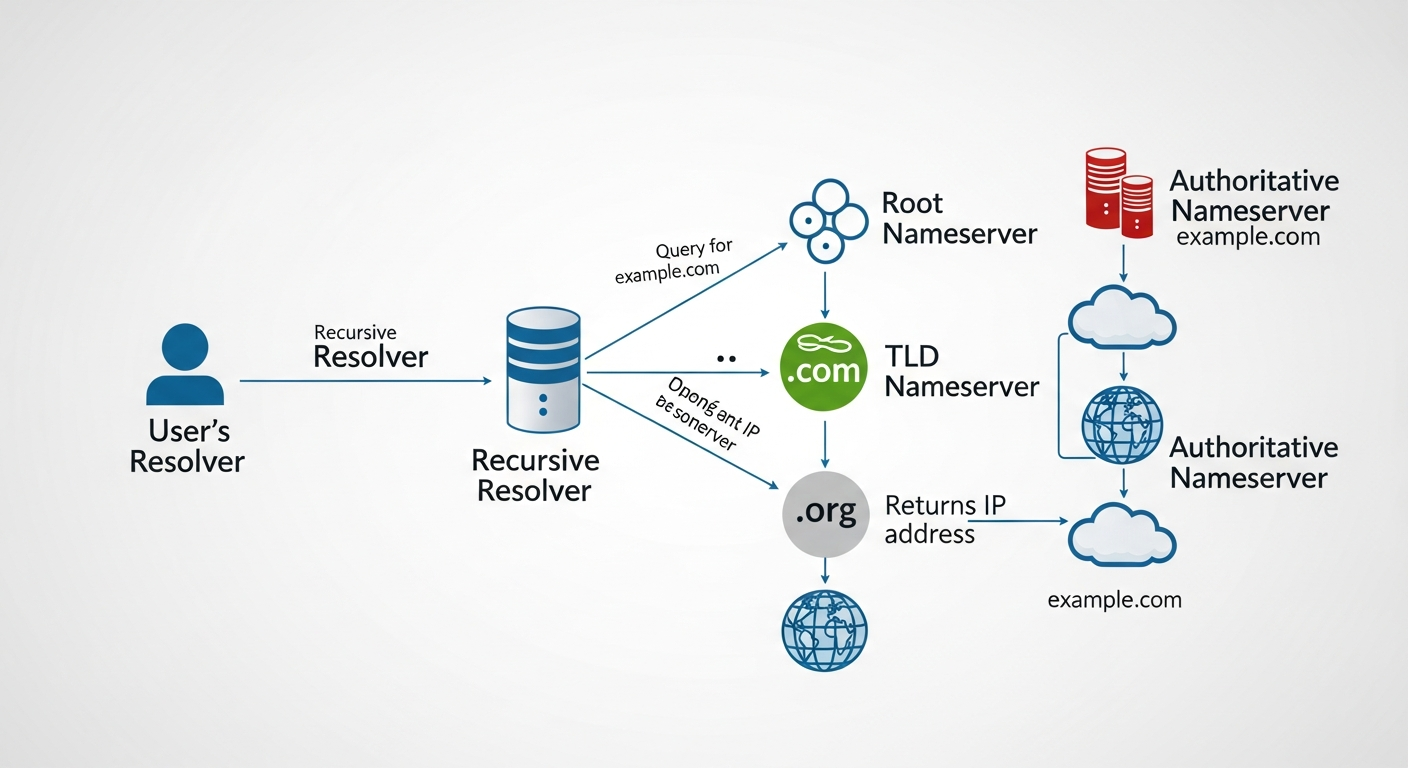
DNS translates human-readable domain names into IP addresses. When you type a URL into a browser, your computer asks a DNS resolver for the IP address. The resolver checks its cache, and if it does not have the answer, it queries authoritative DNS servers in a hierarchical process that starts at the root servers and works down through the domain hierarchy.
My DNS Setup
I run two BIND DNS servers in my lab on separate VMs for redundancy. They serve as authoritative servers for my internal domain and as recursive resolvers for external queries.
Internal DNS means I can access my servers by name instead of IP address. Instead of remembering that the Proxmox host is at 10.0.20.5, I type pve01.lab.local. When I reconfigure IP addresses, I update DNS once instead of updating every configuration file that references the old IP.
Split DNS
I use split DNS (also called split-horizon DNS) so internal queries resolve to internal addresses and external queries resolve normally. My FortiGate handles this by directing DNS queries from internal VLANs to my internal DNS servers, while guest VLAN queries go directly to public DNS.
Common Problems
The most common DNS issue I troubleshoot is stale records. If a server gets a new IP but the DNS record still points to the old one, connections fail in confusing ways. I handle this with short TTLs (time to live) on internal records, so changes propagate quickly.
The second most common issue is DNS forwarding misconfiguration. If your internal DNS server cannot resolve external domains because the forwarder is misconfigured, your servers cannot reach the internet for updates, NTP, or anything else.
Testing DNS
I test DNS configurations with dig and nslookup. Both tools query DNS servers and show the response, including which server answered, the TTL, and the record type.
dig @10.0.20.10 pve01.lab.local
nslookup pve01.lab.local 10.0.20.10
Always test from the perspective of the client that is having the problem. DNS issues are often specific to which resolver a client is using.