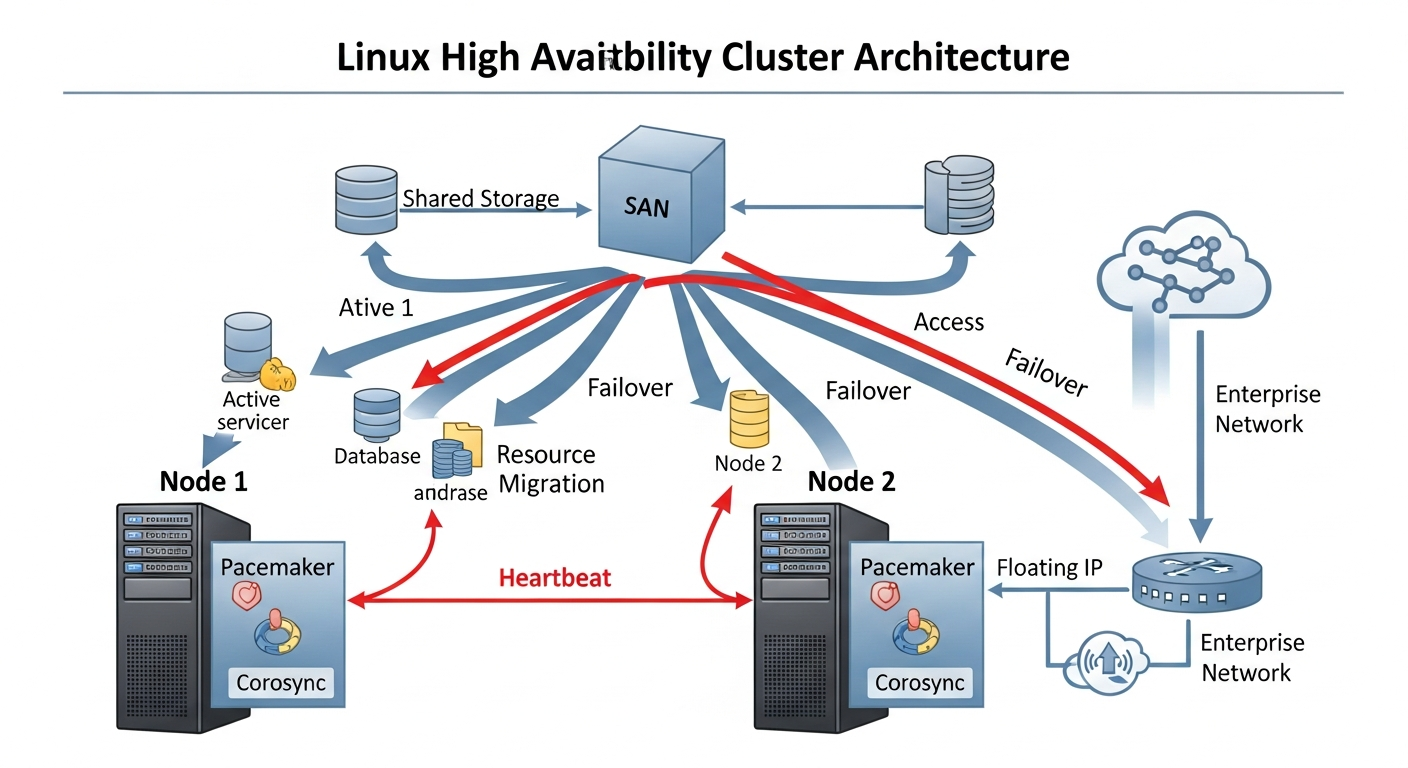
High Availability Clustering with Pacemaker and Corosync
Pacemaker and Corosync provide Linux HA clustering that can automatically restart services and VMs after node failures.
What High Availability Clustering Does
A high availability cluster monitors services and nodes. When a service crashes or a node fails, the cluster automatically restarts the service or moves it to another node. The goal is minimizing downtime without manual intervention.
The Stack
- Corosync: Handles cluster communication, membership, and quorum. Nodes use Corosync to know who is alive in the cluster.
- Pacemaker: The cluster resource manager. It decides what to do when failures are detected. Start this service on that node, move this IP address to another node.
Installation (RHEL/Rocky Linux)
dnf install pacemaker corosync pcs
systemctl enable pcsd
passwd hacluster  # Set the hacluster user password
Creating a Cluster
# On all nodes, authenticate
pcs host auth node1 node2

# Create the cluster from node1
pcs cluster setup ha-cluster node1 node2
pcs cluster start --all
pcs cluster enable --all
Configuring Resources
# Create a floating IP resource
pcs resource create virtual-ip IPaddr2 ip=192.168.1.100   cidr_netmask=24 op monitor interval=30s

# Create a service resource
pcs resource create nginx systemd:nginx   op monitor interval=30s

# Create a resource group (starts in order, stops in reverse)
pcs resource group add web-group virtual-ip nginx
Fencing
Fencing (STONITH - Shoot The Other Node In The Head) ensures that a failed node is truly offline before resources are moved. Without fencing, two nodes might both believe they are authoritative, leading to data corruption. Configure IPMI-based fencing so the cluster can power-cycle a node it cannot reach.
pcs stonith create ipmi-node1 fence_ipmilan ipaddr=192.168.10.101 username=admin password=secret pcmk_host_list=node1