iSCSI Storage: How to Configure and Use It
iSCSI delivers block storage over standard Ethernet, making enterprise-grade shared storage accessible without specialized hardware.
iSCSI Basics
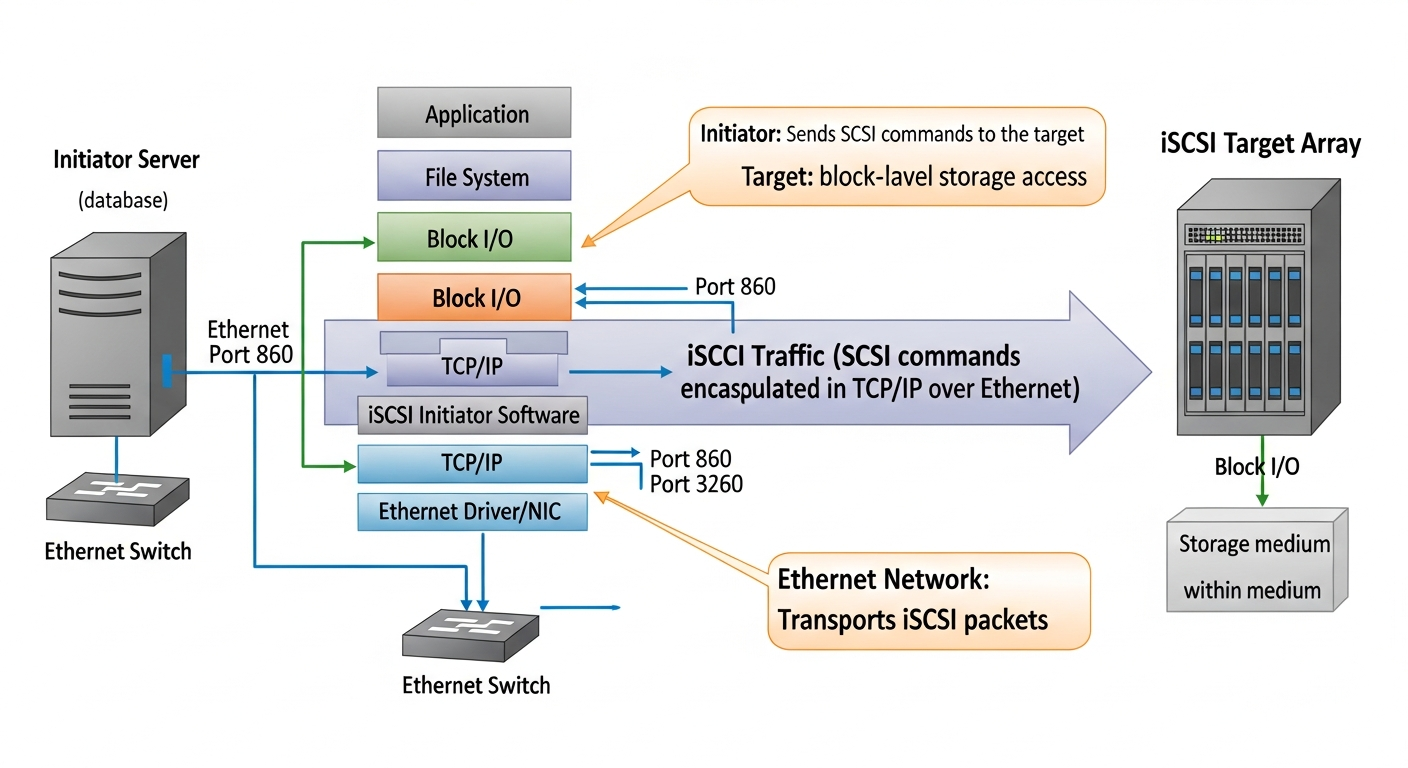
iSCSI encapsulates SCSI commands in TCP/IP packets, allowing servers to access block storage devices over a standard network. From the operating system's perspective, an iSCSI volume looks and behaves like a locally attached disk. You can format it with any filesystem, use it for VMs, or run a database directly on it.
Setting Up a Target (TrueNAS)
TrueNAS is a popular option for an iSCSI target in a homelab:
- Create a storage pool and a block zvol
- Enable the iSCSI service
- Create a portal (IP/port combination to listen on)
- Create an initiator group (which IQNs or IP ranges can connect)
- Create a target and associate it with the portal
- Create an extent linked to your zvol
- Associate the extent with the target
Connecting from Linux
# Install the initiator
apt install open-iscsi

# Discover targets on the storage server
iscsiadm -m discovery -t st -p 192.168.10.50:3260

# Log into a target
iscsiadm -m node -T iqn.2024-01.com.truenas:data -p 192.168.10.50:3260 --login

# The disk should now appear
lsblk
Performance Considerations
iSCSI performance depends heavily on network quality. Use a dedicated storage network, enable jumbo frames (MTU 9000) consistently across the path, and consider multipath for both performance and redundancy.
# Install multipath tools
apt install multipath-tools
systemctl enable multipathd
CHAP Authentication
CHAP (Challenge Handshake Authentication Protocol) adds authentication to iSCSI connections. Configure CHAP credentials on both the target and the initiator. Always use CHAP in any shared environment.
Practical Uses in a Lab
I use iSCSI to provide shared storage for my Proxmox cluster. All nodes can access the same iSCSI volumes from TrueNAS, which enables live VM migration and HA failover. The setup takes about an hour to configure properly, and once it is running it is very reliable.