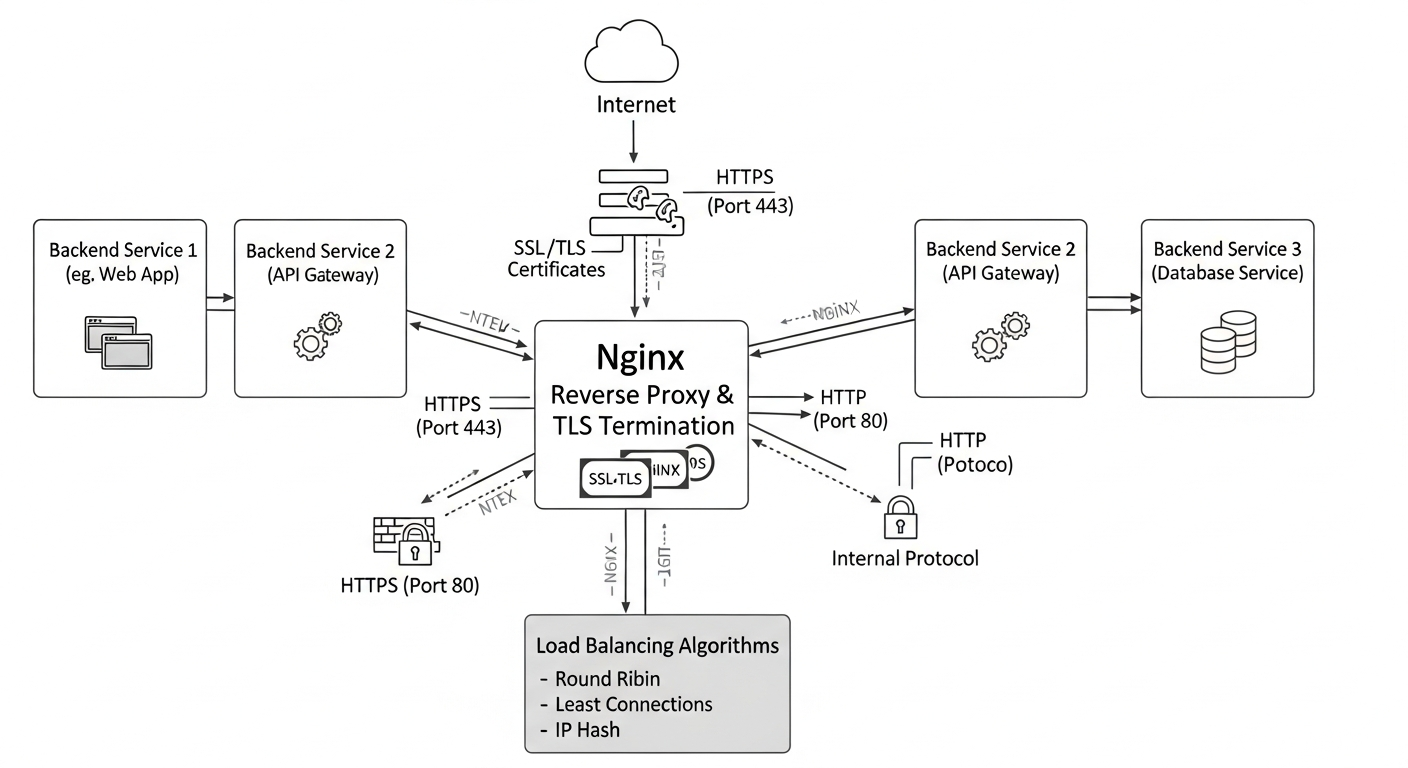
Setting Up Nginx as a Reverse Proxy for Lab Services
Nginx as a reverse proxy centralizes access to multiple backend services, handles TLS termination, and simplifies the architecture of a homelab or small production environment.
Why a Reverse Proxy
Without a reverse proxy, every service in your lab needs its own port. Accessing Grafana is port 3000, Proxmox is 8006, your web apps are on random ports. A reverse proxy sits in front of all these services and routes traffic based on the hostname in the request. You access everything on port 443 with a proper domain name.
It also centralizes TLS. Instead of managing certificates on each service, you terminate TLS at the proxy and forward unencrypted traffic internally.
Basic Nginx Configuration
# /etc/nginx/sites-available/grafana
server {
    listen 443 ssl;
    server_name grafana.lab.internal;

    ssl_certificate /etc/nginx/ssl/lab.crt;
    ssl_certificate_key /etc/nginx/ssl/lab.key;

    ssl_protocols TLSv1.2 TLSv1.3;
    ssl_ciphers HIGH:!aNULL:!MD5;

    location / {
        proxy_pass http://127.0.0.1:3000;
        proxy_set_header Host $host;
        proxy_set_header X-Real-IP $remote_addr;
        proxy_set_header X-Forwarded-For $proxy_add_x_forwarded_for;
        proxy_set_header X-Forwarded-Proto $scheme;
    }
}
WebSocket Support
Some services (Proxmox console, Grafana live updates) use WebSockets. Add these lines to the location block:
proxy_http_version 1.1;
proxy_set_header Upgrade $http_upgrade;
proxy_set_header Connection "upgrade";
Internal PKI
For a homelab, create your own Certificate Authority. Add its certificate to your browser's trusted CAs, and all your internal services get valid HTTPS without certificate warnings.
# Create a CA key and certificate
openssl req -x509 -nodes -newkey rsa:4096 -keyout ca.key   -out ca.crt -days 3650 -subj "/CN=Lab CA"
Rate Limiting
Add basic rate limiting to prevent abuse:
http {
    limit_req_zone $binary_remote_addr zone=api:10m rate=10r/s;
}

location /api/ {
    limit_req zone=api burst=20 nodelay;
    proxy_pass http://backend;
}