NTP: Why Time Synchronization Matters in Enterprise Networks
Accurate time is foundational to authentication, logging, and troubleshooting. Here is how NTP works and how to deploy it properly.
Why Time Matters
Time synchronization is invisible when it works and catastrophic when it does not. Kerberos authentication (the backbone of Active Directory) fails if clocks are more than five minutes apart. TLS certificate validation uses timestamps. Log correlation across multiple systems is impossible if logs have different timestamps. DNSSEC and many security protocols depend on accurate time.
How NTP Works
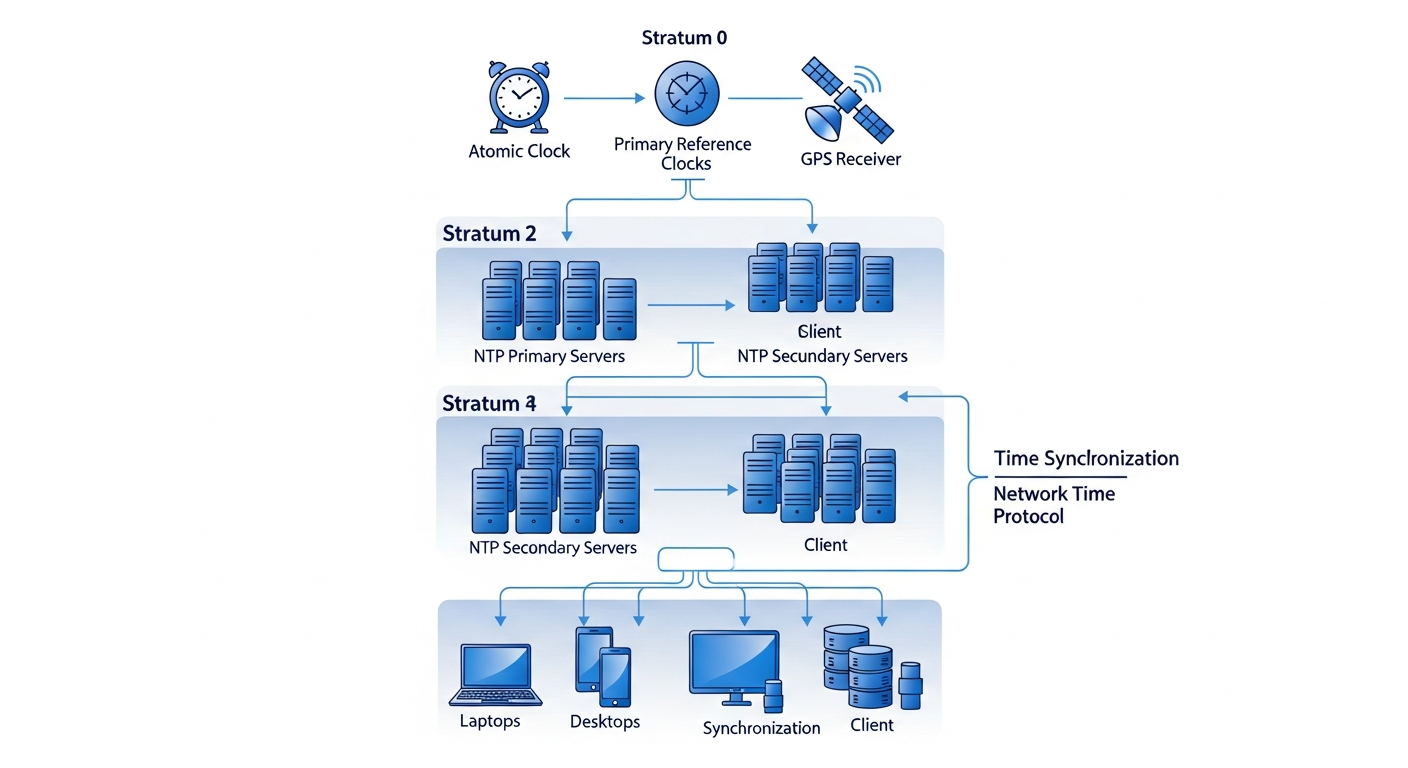
NTP (Network Time Protocol) synchronizes clocks using a hierarchy called stratum. Stratum 0 devices are atomic clocks or GPS receivers. Stratum 1 servers connect directly to Stratum 0 sources. Stratum 2 servers sync from Stratum 1, and so on.
NTP measures the round-trip delay to the time server and uses statistical algorithms to estimate clock offset and drift. It then adjusts the local clock gradually rather than jumping, which prevents the kind of time discontinuities that break applications.
Deploying NTP in an Enterprise Network
The recommended pattern:
- Two or three internal NTP servers sync from external Stratum 1/2 sources
- All internal devices sync from the internal servers, not directly from the internet
- The firewall only allows the internal NTP servers to reach external NTP
# /etc/chrony.conf on the internal NTP server
server pool.ntp.org iburst prefer
allow 192.168.0.0/16  # Allow clients in this range
Configuring Clients
# /etc/chrony.conf on a client
server 192.168.1.10 iburst prefer  # Internal NTP server 1
server 192.168.1.11 iburst          # Internal NTP server 2

# Check synchronization status
chronyc tracking
chronyc sources -v
Network Devices
Configure network switches and firewalls to use your internal NTP servers:
ntp server 192.168.1.10 prefer
ntp server 192.168.1.11
Monitoring Time
Monitor your NTP infrastructure. A drifted clock that goes unnoticed can cause subtle, hard-to-diagnose failures. Track the offset and jitter of your internal NTP servers and alert if they fall out of acceptable ranges.