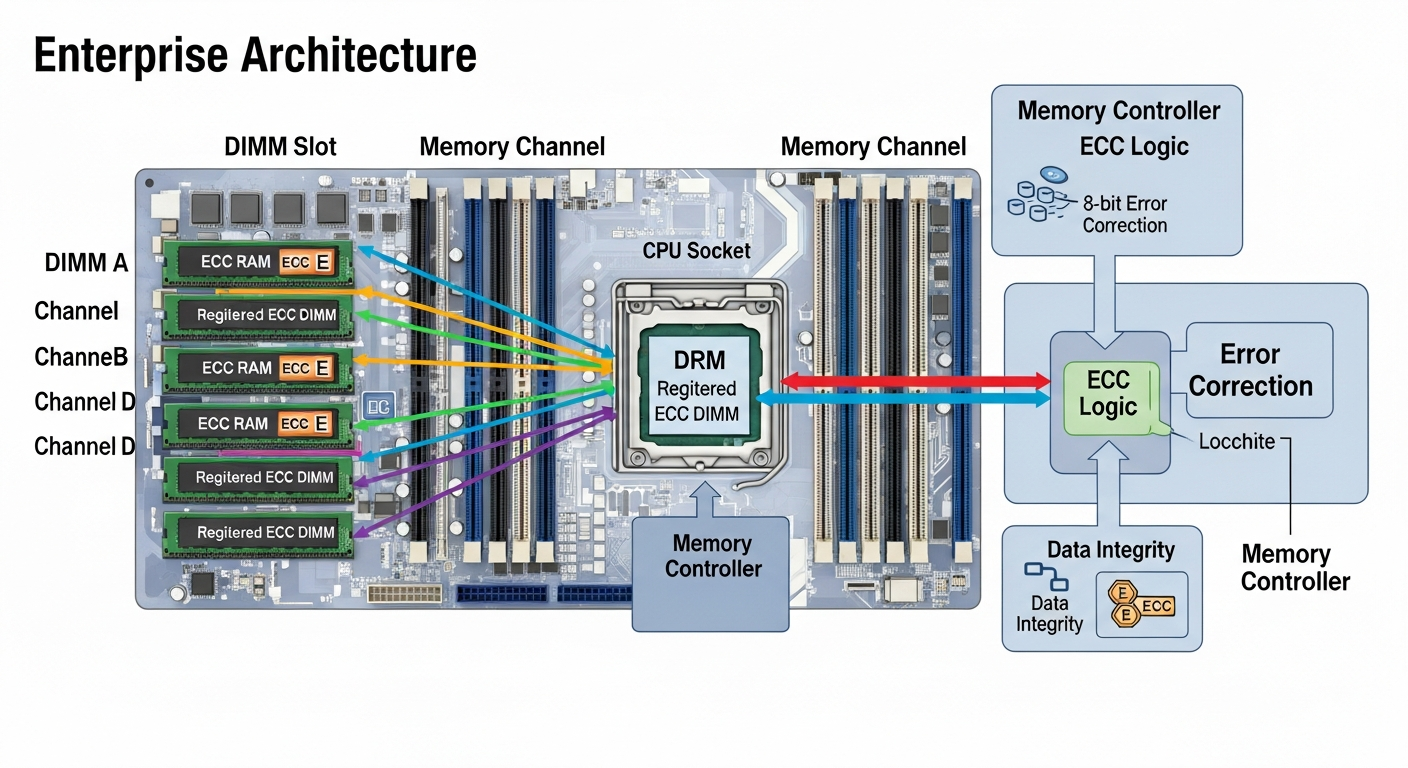
Server Memory Architecture: DIMM Slots, Channels, and ECC
Server memory is more complex than desktop memory. Understanding channels, DIMM placement, and ECC is essential for getting the performance and reliability you expect.
Memory Channels
Modern server CPUs support multiple memory channels. Intel Xeon Scalable processors support six or eight channels per CPU. Running memory in more channels increases memory bandwidth significantly, which matters for memory-intensive workloads like virtualization and databases.
To use all available channels, you need to populate DIMMs in the correct slots. The motherboard manual (or Dell's memory compatibility matrix for PowerEdge servers) specifies exactly which slots to fill first and in what combinations to maximize channel utilization.
DIMM Placement Rules
The rule of thumb: populate symmetrically. If you have a dual-socket server, put the same amount of memory in each socket. If a socket has eight memory channels, fill one DIMM per channel before adding a second DIMM to any channel.
For a Dell PowerEdge R740 with two CPUs and 24 DIMM slots, filling 12 DIMMs (6 per CPU) in the correct slots gives you full channel utilization. Adding more DIMMs fills the remaining slots.
ECC Memory
ECC (Error-Correcting Code) memory detects and corrects single-bit memory errors automatically. It also detects (but cannot correct) multi-bit errors. For servers running production workloads, ECC is not optional. Silent memory corruption can corrupt data and cause crashes that are extremely difficult to diagnose.
All enterprise server platforms require ECC registered (RDIMM) or load-reduced (LRDIMM) memory. Consumer platforms typically do not support ECC at all.
LRDIMM vs RDIMM
Registered DIMMs (RDIMMs) use a register to buffer signals between the memory controller and the DRAM chips. Load-Reduced DIMMs (LRDIMMs) buffer data signals as well, reducing electrical load and allowing higher memory capacities per server.
LRDIMMs support larger capacity configurations but add a small amount of latency. For most virtualization workloads, this is an acceptable trade-off when you need maximum memory capacity.
Speed Considerations
Memory speed is limited by the slowest DIMM installed and by the number of DIMMs per channel. Adding a second DIMM to a channel often drops the maximum speed. Always check the specific speed rating for your configuration in the server's documentation.