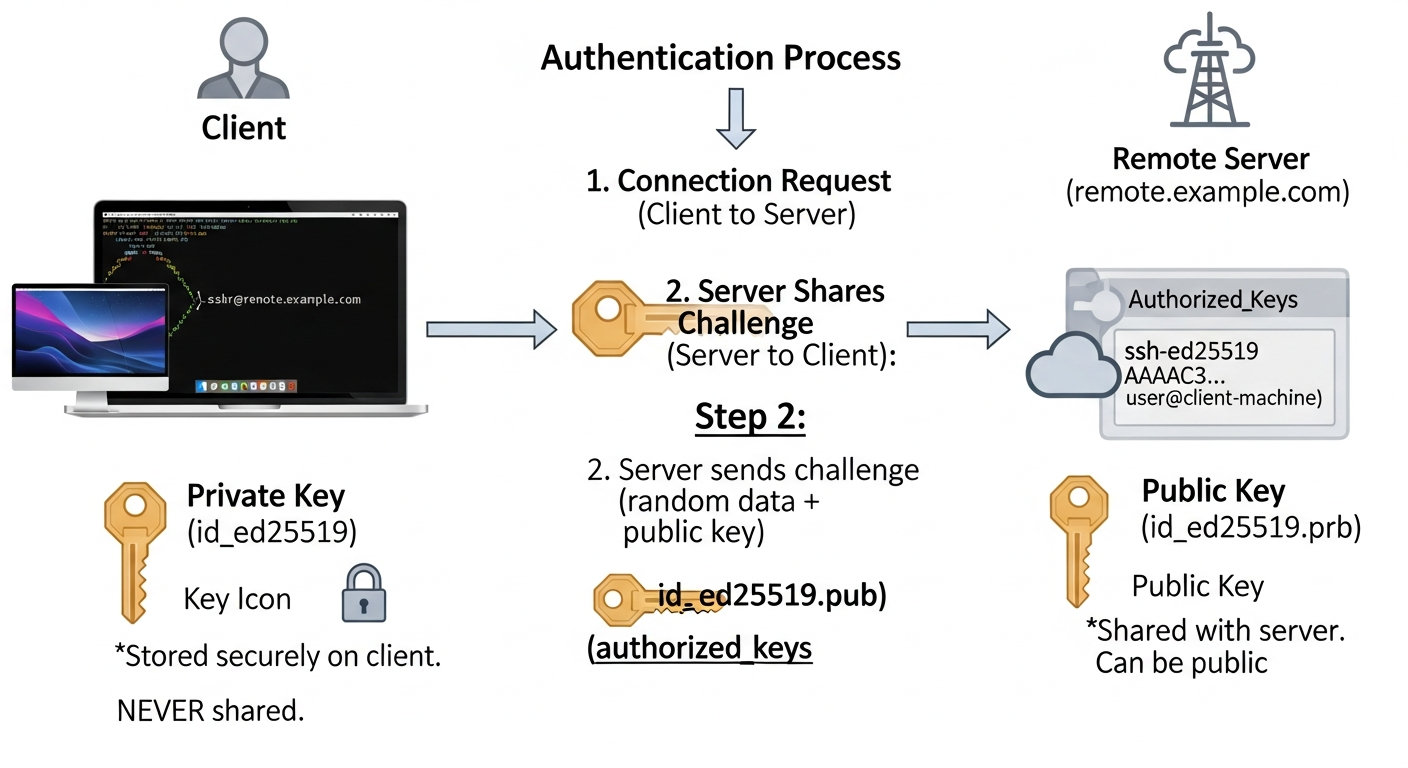
SSH Key-Based Authentication: Setup and Best Practices
Key-based SSH authentication is more secure than passwords and more convenient with proper setup. Here is how to do it right.
Why Keys Are Better Than Passwords
A password is a shared secret. It can be guessed, phished, or leaked. An SSH key pair is asymmetric. The private key never leaves your machine. The server only holds your public key. Even if the server is compromised, your private key is not exposed.
Keys are also more convenient at scale. You can authorize a key on hundreds of servers, and logging in to any of them requires no passwords or prompts.
Generating a Key Pair
# Generate an Ed25519 key (modern, fast, secure)
ssh-keygen -t ed25519 -C "admin@workstation" -f ~/.ssh/id_ed25519

# Or RSA if you need compatibility with older systems
ssh-keygen -t rsa -b 4096 -C "admin@workstation" -f ~/.ssh/id_rsa
Always set a passphrase. The passphrase encrypts the private key on disk, so even if someone steals your laptop, they cannot use the key without the passphrase.
Distributing the Public Key
# Copy to a server (simplest method)
ssh-copy-id -i ~/.ssh/id_ed25519.pub user@server

# Or manually append to authorized_keys
cat ~/.ssh/id_ed25519.pub | ssh user@server "mkdir -p ~/.ssh && cat >> ~/.ssh/authorized_keys"
Using ssh-agent
The SSH agent stores your decrypted private key in memory so you only need to enter the passphrase once per session:
eval $(ssh-agent)
ssh-add ~/.ssh/id_ed25519
SSH Config for Multiple Keys and Hosts
# ~/.ssh/config
Host prod-*
  User deploy
  IdentityFile ~/.ssh/id_ed25519_prod
  ForwardAgent no

Host lab-server
  Hostname 192.168.1.50
  User admin
  IdentityFile ~/.ssh/id_ed25519_lab
  Port 2222
Key Rotation
Rotate SSH keys periodically. When an employee leaves, remove their public key from authorized_keys on every server. This is why centralized key management (via LDAP, Teleport, or HashiCorp Vault SSH) makes sense at scale. Manual key management across hundreds of servers is error-prone.