Networking Inside Virtual Environments
How virtual switches, port groups, and VLAN tagging work inside hypervisors, and how they connect to physical networks.
Virtual Switches
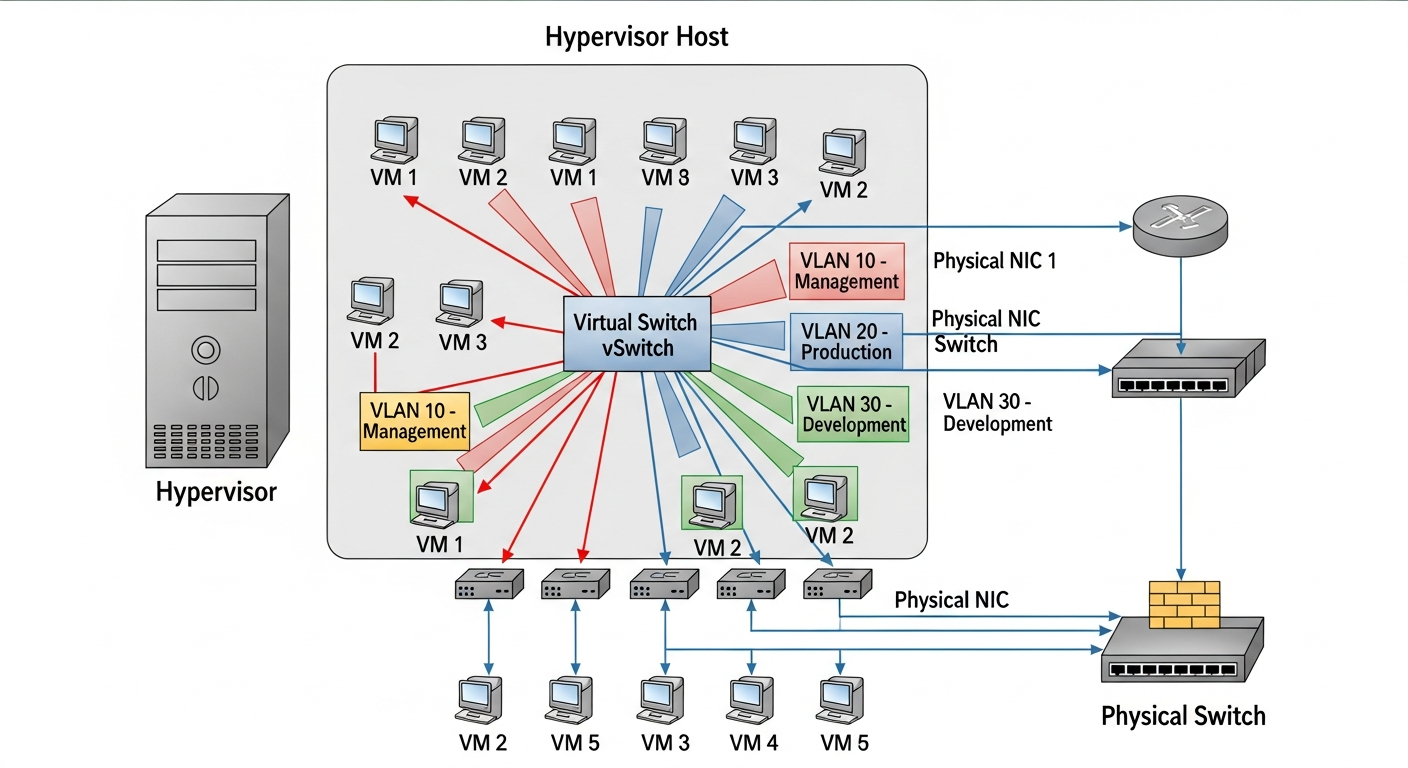
When you create a VM, it needs network access. The hypervisor provides this through virtual switches (vSwitches), which work like physical switches but exist entirely in software. VMs connect their virtual NICs to a vSwitch, and the vSwitch connects to a physical NIC on the host.
In Proxmox, the default virtual bridge is called vmbr0. In ESXi, it is a vSwitch or Distributed Switch. The concept is the same: a software-defined Layer 2 switch inside the hypervisor.
Connecting to Physical Networks
The virtual switch connects to the physical network through one or more physical NICs (called uplinks). Traffic from VMs travels through the vSwitch, out the uplink NIC, and onto the physical network. From the physical switch's perspective, all VM traffic comes from the host's NIC.
VLAN Tagging
To put VMs on different VLANs, you configure VLAN tagging on the virtual switch. The hypervisor adds VLAN tags to traffic leaving the vSwitch, and the physical switch must be configured with a trunk port that accepts those VLAN tags.
In Proxmox, you create VLAN-aware bridges or separate bridge interfaces for each VLAN. In ESXi, you create port groups with VLAN IDs. Either way, the result is the same: VMs can be placed on different VLANs without dedicated physical NICs for each VLAN.
Common Problems
The most frequent issue I troubleshoot is mismatched VLAN configuration. If the hypervisor is tagging traffic with VLAN 20 but the physical switch port is configured as an access port on VLAN 10, the traffic gets dropped. Always verify that the physical switch port is configured as a trunk and allows the VLANs you need.
Performance Considerations
Virtual networking adds a small amount of overhead compared to physical networking. For most workloads, the overhead is negligible. For high-throughput workloads (10GbE storage traffic, for example), techniques like SR-IOV (Single Root I/O Virtualization) can bypass the virtual switch entirely and give VMs near-native network performance.
I use SR-IOV for my NFS storage VMs that need maximum throughput, and standard vSwitch connectivity for everything else. The configuration complexity of SR-IOV is only worth it when you actually need the performance.